





This article was originally published on link to post
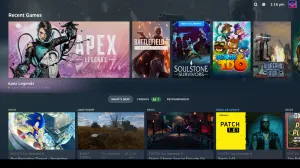
After announcing the release date for the Steam Machine earlier this week, Valve sneakily also confirmed that the latest version of its Linux-based operating system, SteamOS 3.8, would be the first to be available for download for all hardware configurations, letting you turn your existing desktop into your own Steam Machine.
SteamOS 3.8 is out now, meaning you can download the official operating system image and try it out for yourself. For now, you will have to be using an AMD graphics card as Valve continues to work on Nvidia support for an official release in 2027. Your first step is creating a bootable device with a USB stick and your downloaded image of SteamOS, which you can do in the following ways:
Windows: Use the Rufus utility. Select the SteamOS file and write it to your USB drive (this will format your USB drive). MacOS/ Linux: You can use Balena Etcher to write the SteamOS file to your USB drive.
When you boot into SteamOS for the first time, you’ll land on a desktop environment. Navigate to the “Re-image Device” option to start the installation, after which your machine will reboot. Note that you will need to disable Secure Boot to install

0 Comments