





This article was originally published on link to post
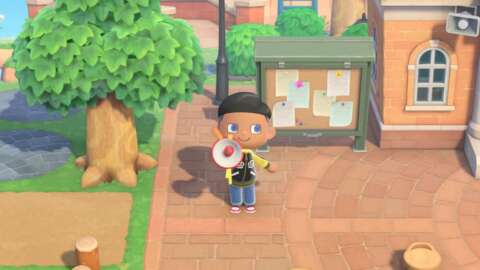
The new 3.0 update has arrived in Animal Crossing: New Horizons, bringing new content alongside the Switch 2 edition of the game. One of the newest additions is the megaphone, a Nintendo Switch 2-exclusive item that lets you call out and easily locate residents on your island. This guide will explain how to get and use the megaphone in Animal Crossing: New Horizons for the Switch 2.
Make sure to check out all the new features of the 3.0 update, as well as our complete Animal Crossing: New Horizons guide hub to help you make the most of island life. This offers starter tips, information on how to upgrade locations, and more.
How to get the megaphoneMegaphone in shop
Unfortunately for players on the original Switch, Switch Lite, or Switch OLED, the megaphone is a Switch 2-exclusive item. To get a megaphone, you’ll need to visit Nook’s Cranny and interact with the shop cabinet. The item can be purchased here for 3,500 Bells. The megaphone is not found in the shop for the Switch 1 version of Animal Crossing: New Horizons.
It’s also worth noting that you don’t have to start over if you’ve upgraded to the new Switch 2 edition of the



0 Comments